
How to Setup & Configure LAPS on Active Directory Domain.
This article contains step-by-step instructions on how to install and configure Microsoft LAPS on your Active Directory Domain environment.

This article contains step-by-step instructions on how to install and configure Microsoft LAPS on your Active Directory Domain environment.

If you can't log in to your Windows 10/11 PC because of error "The Password is incorrect" or if you've forgotten your password, continue reading below to learn how to regain access to your PC and files.

If you cannot connect to a file share or mapped network folder due to error "You can't connect to the file share because it's not secure. Your system requires SMB2 or higher", continue reading below to fix the problem.

If you want to block the Windows 11 24H2 update on your domain environment through a GPO, then this guide is for you. Since October 1, 2024 when the 24h2 update of Windows 11 became available, many users are experiencing serious problems either during or after its installation.

If you want to block the installation of Windows 11 version 24H2, then this guide is for you. Windows 11 version 24H2 was released on October 1, 2024 and will soon be available for installation on supported computers via Windows Update. However, because the new update has many bugs and causes problems either during or after […]

If after applying a group policy to automatically store BitLocker keys in Active Directory, you find that for some computers the BitLocker recovery key and password is not stored in AD, continue reading bellow to learn how to backup BitLocker keys manually to AD.

This guide contains step-by-step instructions on how to force Windows to automatically store BitLocker recovery keys and passwords to Active Directory (AD), on any domain computer you enable the BitLocker protection. If you want to protect your domain laptops and desktop PCs from unauthorized access, e.g. in case of theft, a good practice is to […]
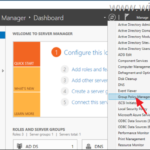
This tutorial contains step-by-step instructions on how to deploy a registry key using Group Policy to computers in a domain environment.

If you cannot change date and/or time on a Windows Server 2016/2019/2022, because the "Change" button is greyed out, continue reading below to learn how to bypass the problem.
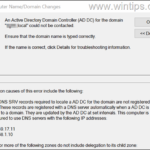
This tutorial contains detailed instructions to resolve the following problem, when you try to join a Windows based computer to an existing domain: "An Active Directory Domain Controller for the domain could not be contacted".