How to Disable Google Now notifications
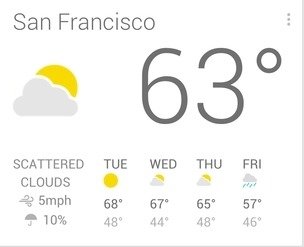
“Google Now” is a Google service that offers information about weather, traffic, events and more. Google Now acts like an intelligent personal assistant and is available for mobile devices running Android and iOS operating systems and for personal computers (both Windows and Mac) within the Chrome browser. Google Now service is very helpful if you ‘re using Google services but bothers you with annoying messages telling events or weather if you don’t want to be informed.
In this article you will find clear instructions on how to disable Google Now notifications if you don’t want or need them.
How to Turn Off Google Now notifications.
Step 1. Disable Google Now notifications from Chrome.
1. Open Google Chrome.
2. At URL address type the following command and press Enter.
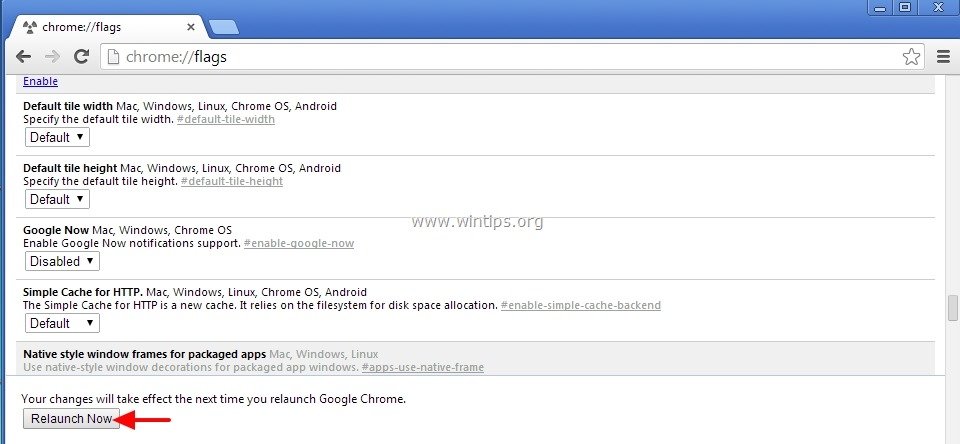
- chrome://flags

3. At chrome://flags settings, simultaneously press “Ctrl”+ “F” keys to open Find.

4. At Find search-box type:
- Google now

5. Click the drop-down menu and set the Google Now setting to “Disabled”.

6. Press the “Relaunch Now” button for changes take effect.
You ‘re done!
How to disable Google Now from your Android Device.
1. Open Google Search App.
2. Press Settings menu button.
3. Slide the Google Now switch to OFF.
4. Press “Turn off” at “Turn off Google Now” window.*
* Note: This resets all card settings to their default values.
That’s it.


- Windows Update Uninstall Failed with Error 0x800F0825: How to Fix - October 7, 2026
- Apps and Games Crash After KB5124010 Due to AC-3 Audio: How to Fix - October 5, 2026
- How to Fix Windows 11 Update Error 0x80073712 - October 5, 2026