
How to Setup VPN Server on Windows 11.
As online privacy and security become more and more essential, more and more people are turning to Virtual Private Networks (VPNs). A VPN consists of a VPN server that mediates between 2 separate networks and authenticates incoming connections from one network to the other.
Setting up a Windows 10/11 PC as a VPN server on your home or office network allows you to securely connect to your network from anywhere in the world and access its resources over the Internet.
The best part is that you don't need any software or hardware to turn your Windows computer into a VPN server. All you need is a router with port forwarding capabilities and a Windows 10/11 PC and you're ready to go!
In this guide, you'll find step by step instructions on how to setup your Windows 11 computer as a VPN Server.
How to Set Up Windows 10/11 to act as a VPN Server.
- Part 1. Configure Windows 11/10 as a VPN Server.
- Part 2. Configure your Router for VPN Access.
- Part 3. Connect to your VPN Server.
Part 1. How to Configure Windows 11/10 as a VPN Server.
Step 1. Assign a Static IP address on the computer that will act as the VPN Server.
Usually, routers give the connected devices dynamic IP addresses to avoid any conflicts. However, these dynamic IP addresses can change each time a device joins or leaves the network or when the router is restarted.
But because later in the article, we'll need to forward a network port to the IP address of the computer that will act as the VPN server, we'll need to set a static address on that computer to ensure that all VPN traffic is always directed to it.
To easy setup a Static IP address on your Windows 11/10 PC, proceed and find your current local dynamic IP address and then set it as a static IP address.
1. Press Windows  + R keys to load the Run dialog box.
2. Type ncpa.cpl and press Enter, to view the Network Connections.

3a. In Network Connections window, double-click on the active Network Connection/Adapter and click Details.
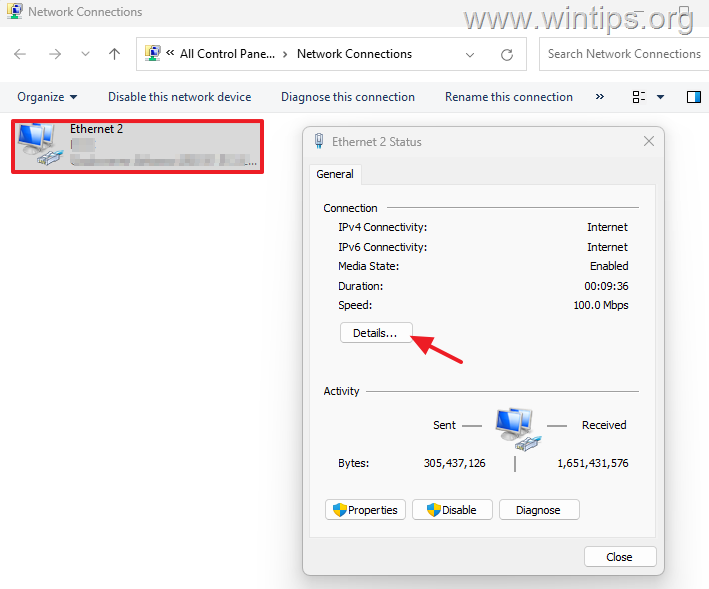
3b. In Network Connection Details window, notice and write down the following information:
- IPv4 Address (e.g. "192.168.1.101")
- IPv4 Subnet Mask (e.g. "255.255.255.0")
- IPv4 Default Gateway (e.g. "192.168.1.1")
- IPv4 DNS Server (e.g. "192.168.1.1")
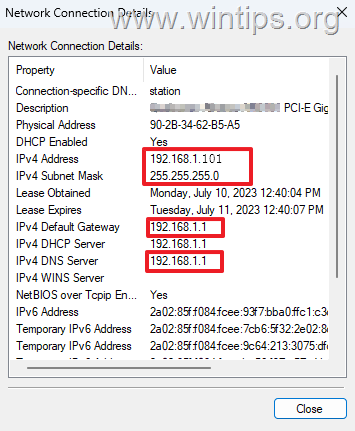
3c. When done, click the Close button.
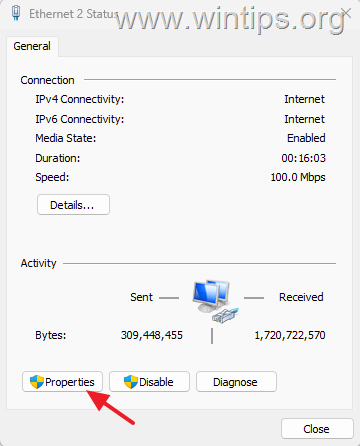
4a. Now, in Network Status window, click Properties.
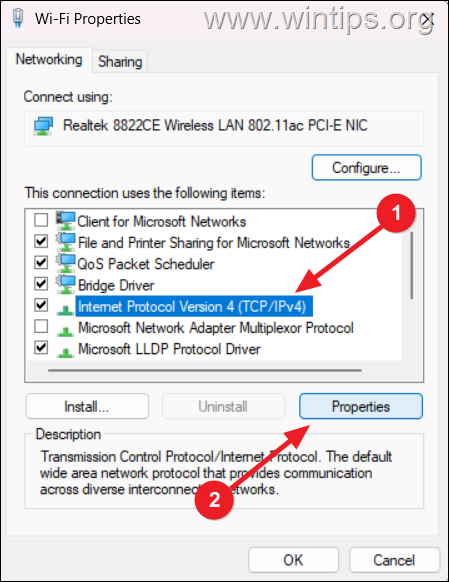
4b. Select Internet Protocol Version 4 (TCP/IPv4) and click Properties again.
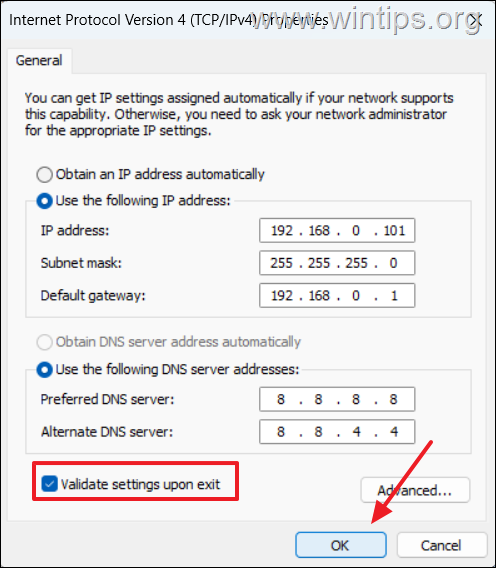
4c. Then, select the Use the following IP address option and then type below the IPv4 Address address, the Subnet mask (or press tab to fill it in automatically), and the Default gateway as noted in the step-3b above.

4d. Next, select Use the following DNS addresses and type at Preferred DNS server field the IPv4 DNS Server's address you noted before (e.g. "192.168.1.1"), or type the Google's public DNS Server's addresses: "8.8.8.8" for Preferred DNS and "8.8.4.4" for Alternate DNS, as in this example.

4e. Finally, check the Validate settings upon exit option and click OK to save the changes.
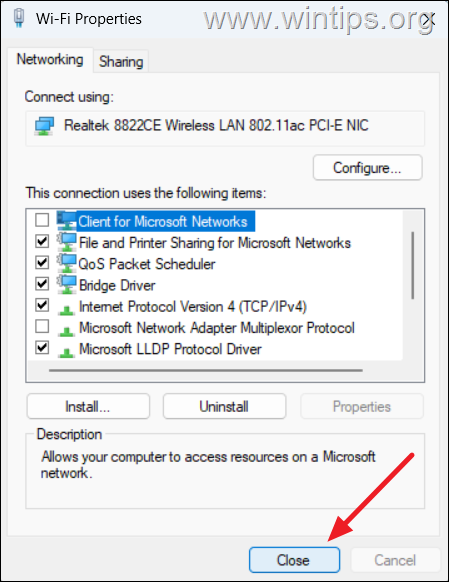
5. Finally, click Close to close the adapter’s properties window. (But don’t yet close the Network Connections window)
Step 2. Set up VPN server on Windows 11.
Now proceed and configure a new incoming connection on Windows for the VPN users.
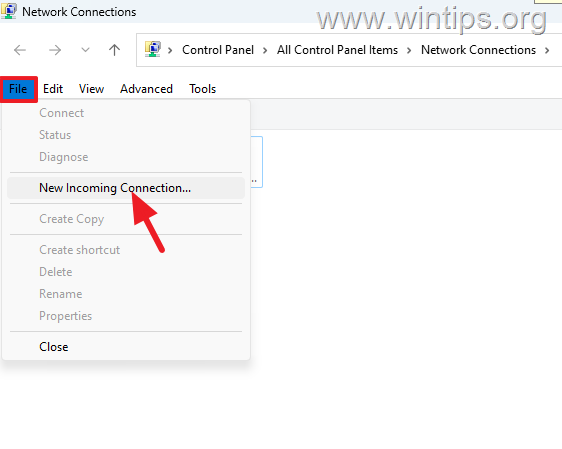
1. In Network Connections window, click on the Organize menu, hover over Layout, and select Menu bar to view the hidden menu bar.

2. Then, click on File menu and select New Incoming Connection.
3. Select the user who will have access to the VPN Server on the device and click Next. *
* Note: Alternatively, click the "Add someone…" button to create a new user account for VPN access.

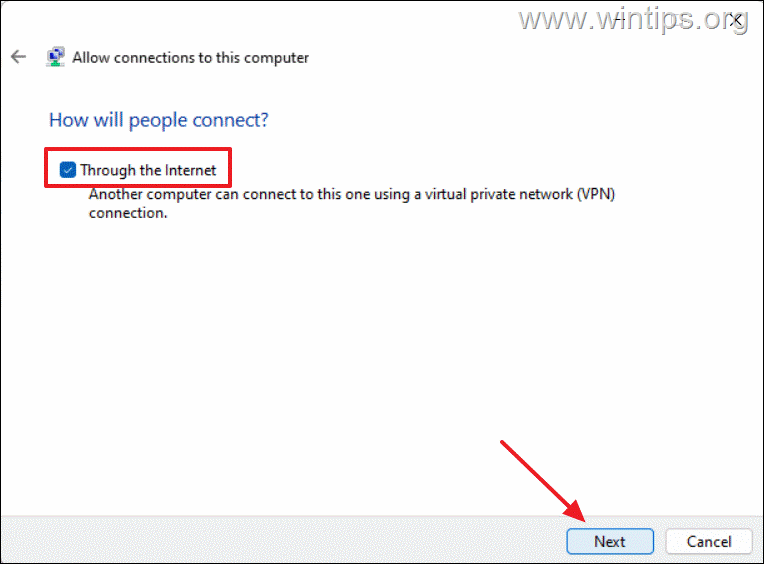
4. At How will people connect? screen, check the Through the Internet box and click Next.
5a. At next screen, make sure the Internet Protocol Version 4 (TCP/IPv4) option is selected and click Properties.
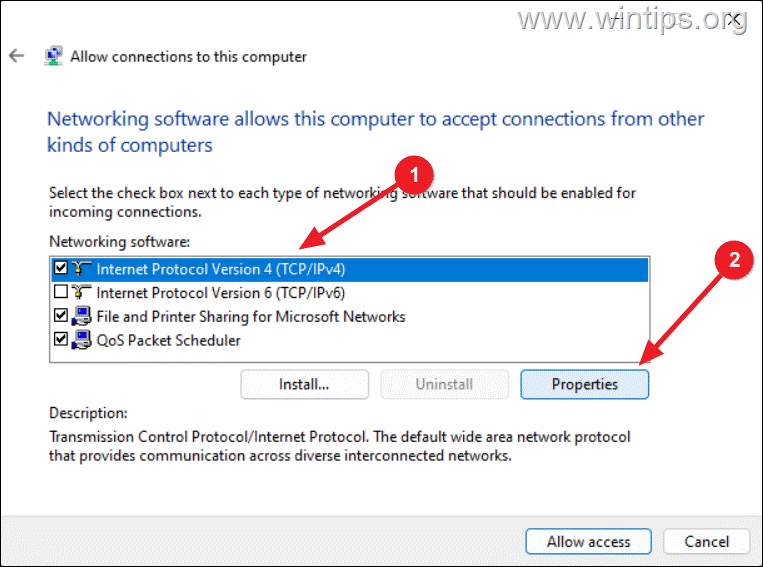
5b. At Incoming IP Properties window, do the the following and click OK:
- Ensure that the option Allow callers to access my local area network is selected.
- In IP address assignment section: leave the option "Assign IP Addresses automatically using DCHP" selected if you want the VPN clients to automatically "take" an IP address from the DHCP server, or select the "Specify IP addresses" option and type the address range below. *
* Note: The assigned IP Addresses range must be at the same network range as your network is.
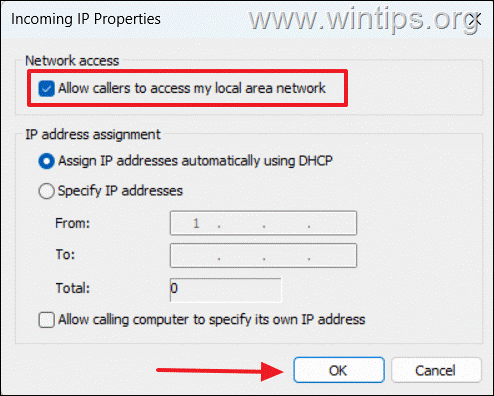
6. Now, click Allow access to finish the VPN Server configuration.
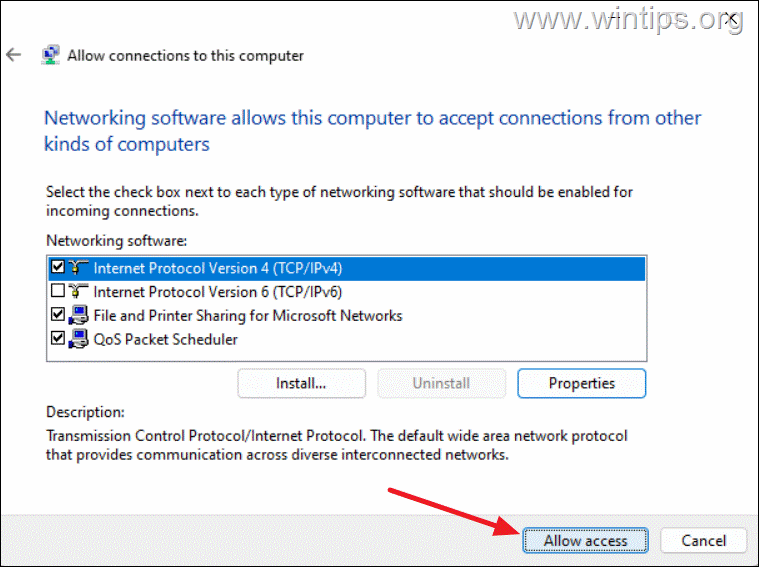
7. Finally, click Close.

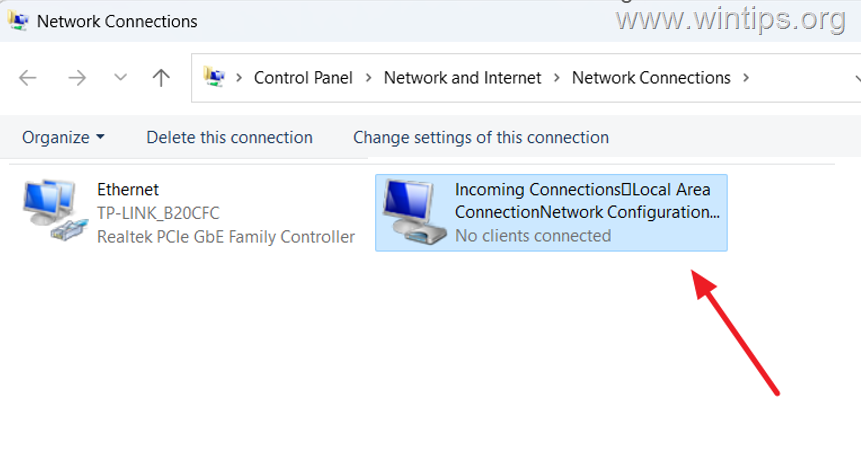
8. After setting up the "New Incoming Connection", you will see a new (virtual) network adapter named "Incoming Connections…" in the Network Connections window.
Step 3 Allow VPN Connections in the Windows Firewall.
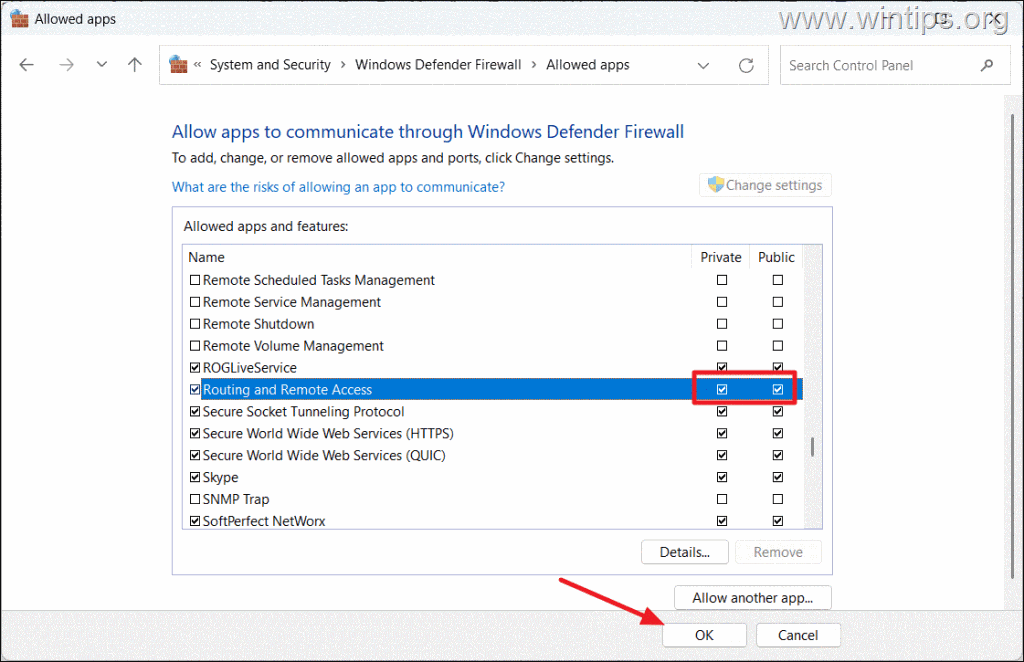
To be able to connect to the VPN server you'll need to ensure that the "Routing and Remote Access" feature is allowed through the Windows firewall.
1. Press Windows + R keys to load the Run dialog box.
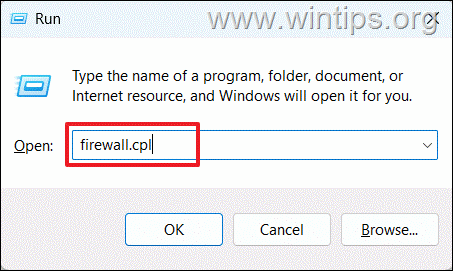
2. Type firewall.cpl and press Enter, to open the Windows Defender Firewall.
3. On the left-hand side, click on Allow an app through Windows Defender Firewall.

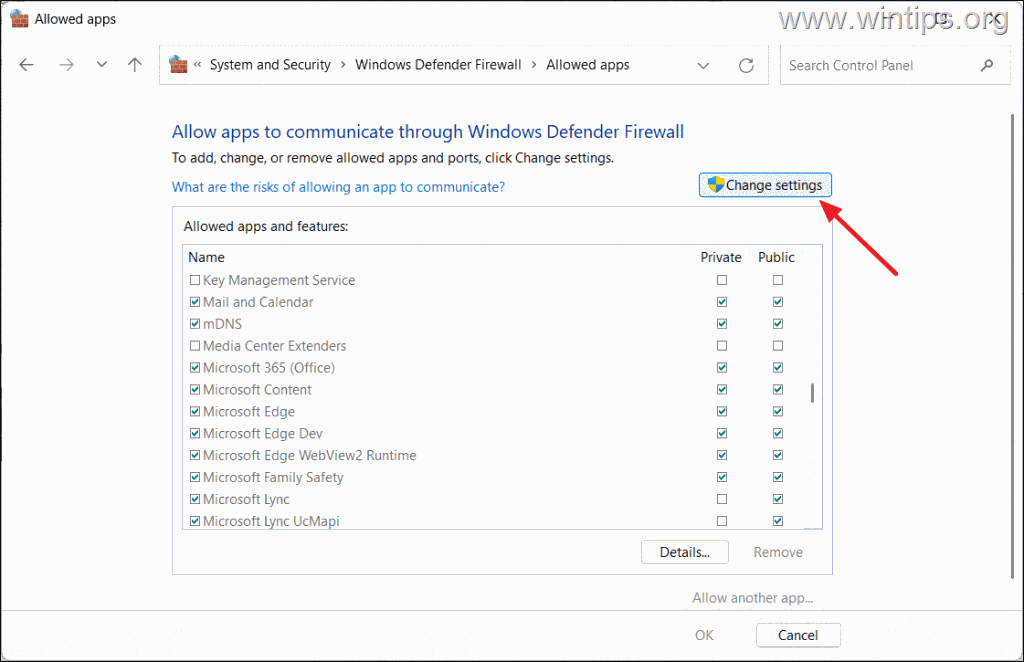
4. Then, click on Change settings.
5. Ensure that both the Private and Public boxes are checked for Routing and Remote Access. Then, click OK to save the changes.
Part 2. How to Configure Router for VPN Access.
After setting up your Windows 10/11 computer to act as a VPN server, you need to configure your Internet router, in order to be able connect to the Windows 10/11 VPN server.
Step 4. Configure Dynamic DNS on Router
To connect to your VPN server remotely you need to know the public IP address of your router, which is fine if you have a static address.
But, if you have a dynamic IP address that is assigned by the Internet service provider and is different every time the router is rebooted, it's a good idea to register for a free domain name from a third-part Dynamic Domain Name System (DDNS) service, because this will allow you to access your VPN server using the same domain name, regardless of any IP address changes.
So, if you don't have a static Public IP address see which DYNDNS providers your router supports and then register a free DDNS domain name with one of these providers.*
* Notes:
1. If you do not configure Dynamic DNS, you will need to know the Public IP of your router or change your VPN connection settings every time your public IP address changes in order to connect to the VPN server.
2. To find the pubic IP Address of your VPN server/router navigate to this link: http://www.whatismyip.com/
1. Open a web browser and type in the IPv4 Default Gateway address you noted in Step-1 (3b) above (e.g. "192.168.1.1" in this example), to open the route's interface.
2. Then, type the router's login credentials to log in to your router. (Usually, you can find these credentials on the back of the router, unless you've specifically changed it.)

3. Next, locate the Dynamic DNS (aka "DDNS", or "DYNDNS") settings in the router settings and open it.
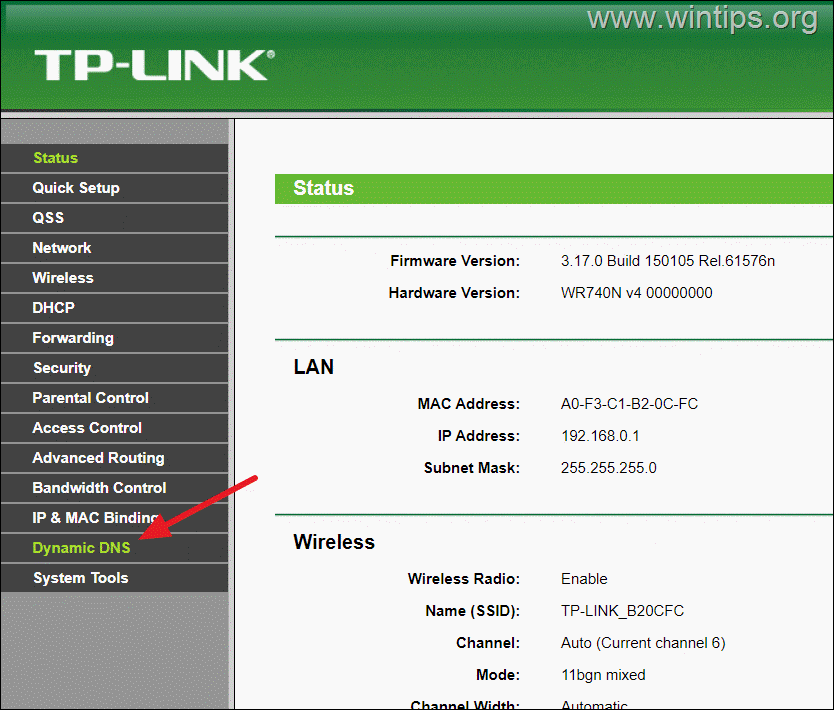
4. Now see in the list to find out which DYNDNS providers your router supports (e.g. DynDNS, No-IP, etc.)
5. Then, in another browser window, go to the website of one of the DYNDNS providers to create an account and to register for a free Domain Name.
6. When done, come to this page again and select from the DYNDNS Service providers list, the one you created your account with.

7a. Enter the username and password to the DYNDNS provider you registered with.
7b. Then, enter the DYNDNS domain name you registered with that account.
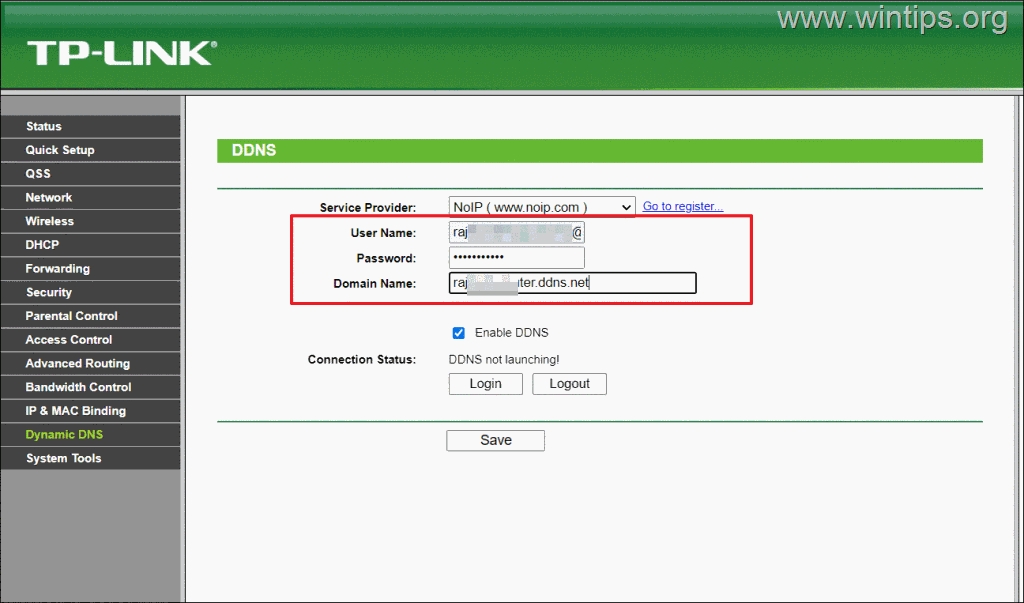
8. When done, select Enable DDNS and click Login.

9. Finally, click Save or Apply.
Step 5. Configure VPN Port Forwarding.
To be able to connect to the VPN server from the Internet, you must configure your router to forward VPN traffic from the router's network port "1723" to the IP address of the VPN server.
1. In the router settings, look for Port forwarding, Forwarding, Virtual Servers, or Port mapping options.
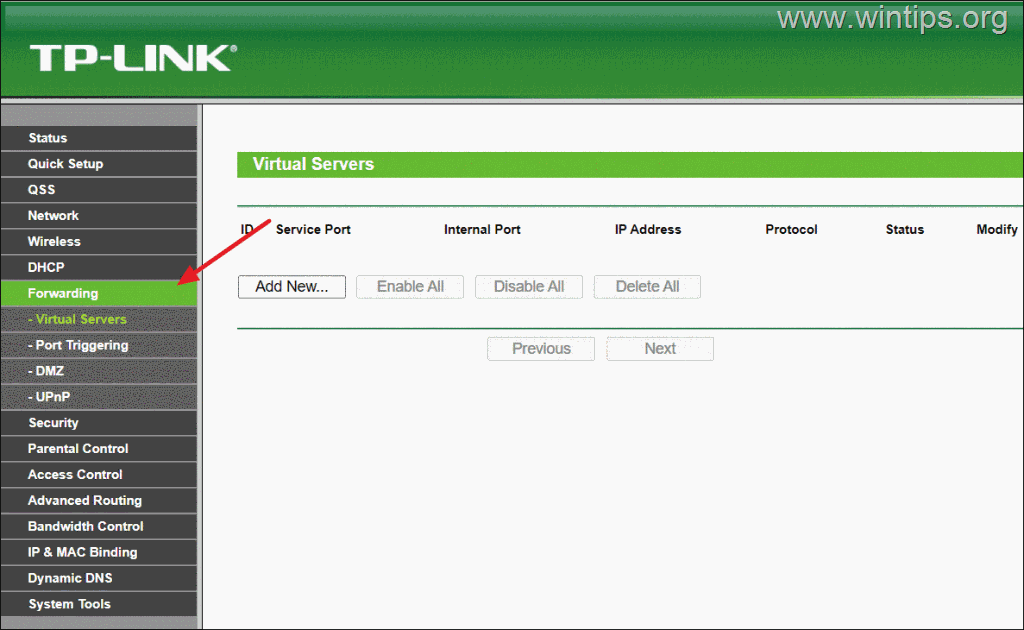
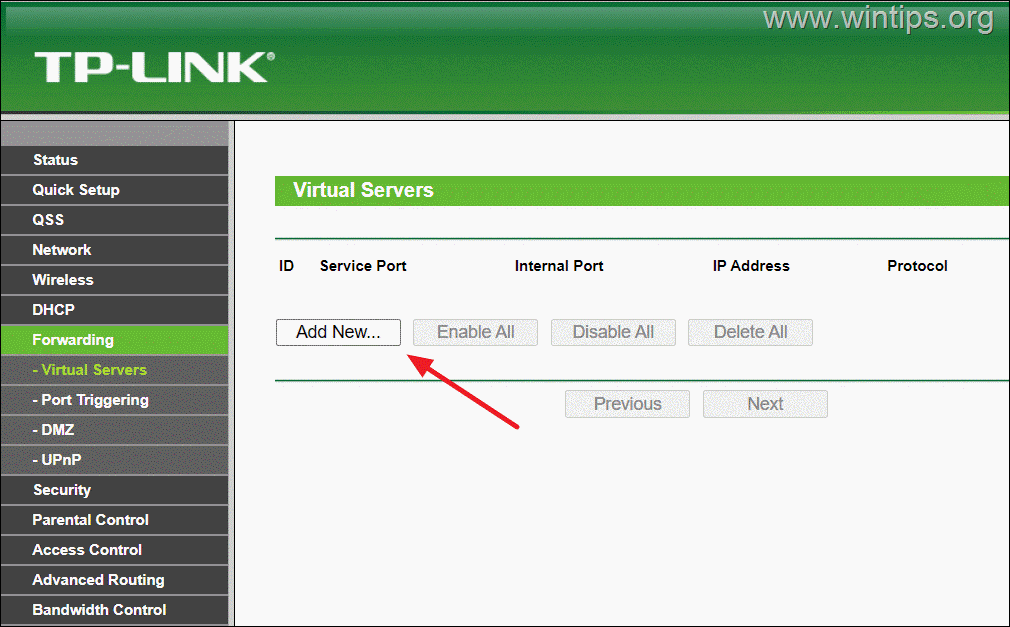
2. Click Add New.
3. Now, set the following settings:
- Service Port or External Port: type 1723
- Internal Port: type 1723
- IP Address: Type the IP Address of the VPN server (e.g. "192.168.1.101" in this example).
- Protocol: select TCP or ALL
- Common Service Port or Service Port: select PPTP
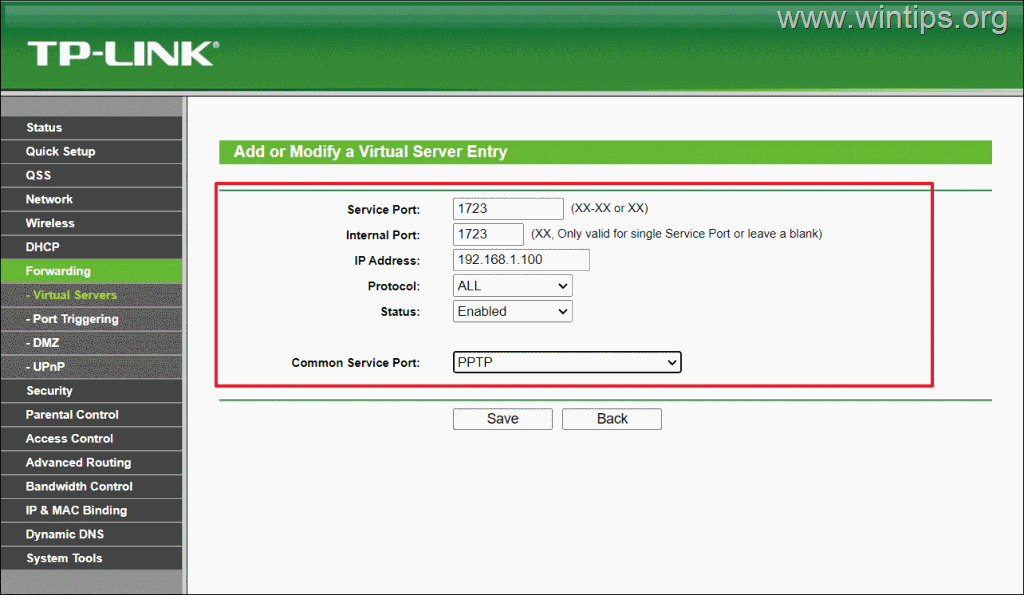
4. Then, click Save or Apply.

5. Now you're ready to connect to your VPN server from any Windows device outside of your local network, using the instructions on step-6 below.
Part 3. How to Connect to your VPN Server.
Step 6. Set up a VPN Connection on Windows 11.
In order to connect to the VPN server remotely you will need to set up a new VPN connection on any computer (VPN Client) from which you want to connect to your network from Internet. (e.g. your laptop)
To create a VPN client connection on Windows 11.
1. Press Windows + I keys to open Windows Settings.
2. Navigate to the Network & internet tab and click on the VPN tile in the right-side pane.
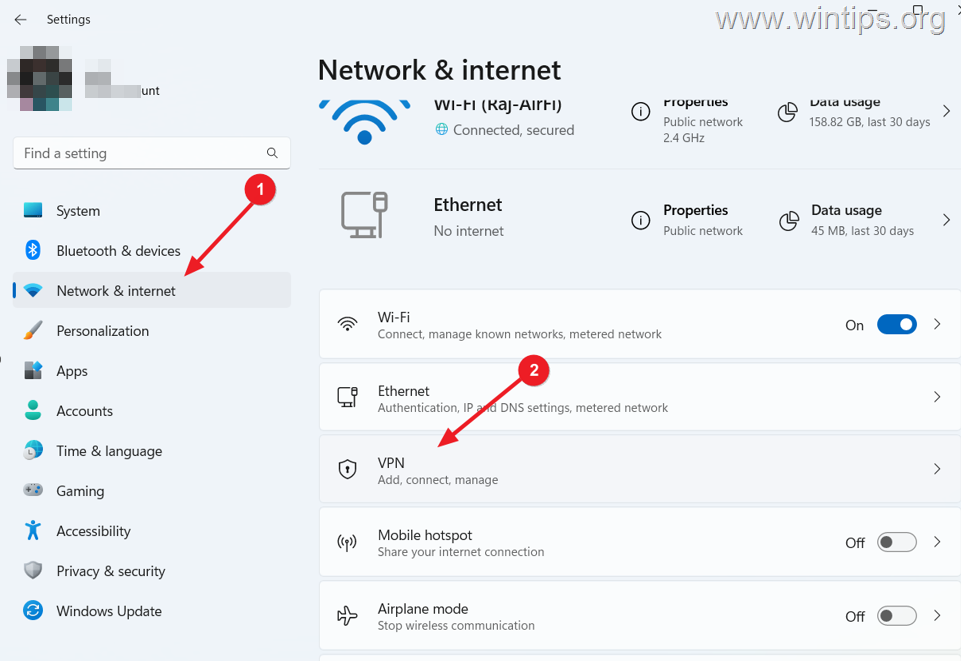
3. On the VPN settings page, click Add VPN to configure a new VPN connection.

4. In the Add a VPN connection window, set the following:
- VPN provider: select Windows (built-in)
- Connection name: Enter a name for the VPN connection (e.g. "Home Net VPN").
- Server name or address: Type the DDNS name (e.g. "wintips.ddns.net"), or the public IP address of your VPN Server.
- VPN type: select Point to Point Tunneling Protocol (PPTP).
- Type of sign-in Info: select Username and password, and type below the credentials of the user that has access to the VPN server [Step-2(3)].
- Check the Remember my sign-in info checkbox to save your login credentials (optionally).
5. Finally, click Save to save the VPN connection settings.

6. Once done, you will see the new VPN connection under the "VPN connections" section. Click on Connect button to connect to your VPN server.

7. Once the VPN connection is established (connected), you will have access to all network resources on the remote network.
That's it! Let me know if this guide has helped you by leaving your comment about your experience. Please like and share this guide to help others.


- Always On VPN Stuck on Connecting After KB5124008 Update: How to Fix - September 24, 2026
- How to Disable Passkey Prompts and Delay Enforcement in Microsoft 365 - September 24, 2026
- Remote Desktop (RDP/RDS) Stops Working After September 2026 Windows Update: How to Fix - September 15, 2026


January 10, 2025 @ 9:57 am
Thanks a lot for the amazing post! It truly means a lot to me.
August 29, 2024 @ 5:34 am
Your instructions are great! Easy to follow and install.
I have installed the windows 11 vpn server several times. Each time cleaning out what I did and starting over. I did the network resets each time.
So for the, I don't know, maybe the 8th time, I'm sitting here looking at a Windows Security popup that is looking for my Network Credentials. It is telling me that my username or password are incorrect.
I have been all over the place in the Credential Manager and all the places that might have a password on both the server and the client to no avail.
I've been working on this for almost 2 weeks. What am I missing?
December 14, 2024 @ 10:31 pm
Try prefixing the username with the computer name of the VPN server. For example, if computer name of the VPN Server is "mylaptop" and the username on that machine is: localuser then specify the username as mylaptop\localuser