How to Backup GMAIL Messages Locally.
This tutorial contains detailed instructions and various methods to back up your GMAIL messages locally on your Windows computer, for security or for other reasons.

Microsoft Edge is the new and lightweight default Web browser in Windows 10 Operating Systems and it is designed to replace the Internet Explorer in the future. Microsoft Edge is a core component in Windows 10/11 OS and for that reason you cannot uninstall the new browser, by using the classic removal method,
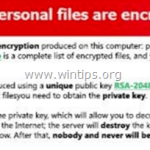
In the last years many ransomware variants have affected many home and business computers, in order to gain money for criminals. In the past few months, companies, schools, hospitals and many home users were the victims of ransomware attacks and they experienced the nightmare of losing their archives.
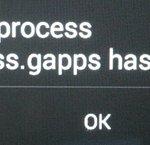
The "google.process.gapps has stopped" error on Android, is related to Google Play Services problem. In fact the error occurs when Google Play services has stopped and are not working. The full error message that is displayed on your screen is: "Unfortunately, the process com.google.process.gapps has stopped"
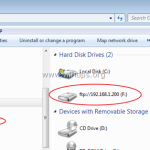
A few days ago, I setup an FTP file server on a Windows 7 Pro based computer by using the Filezilla Server software. After the setup, I went to the workstations in order to connect them to the shared FTP network folder
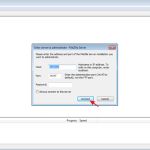
In this tutorial I'll show how you can setup an FTP Server on your network, in order to upload or download files from everywhere in the world. For this task I 'll use the FREE Filezilla Server software that can help you setup a reliable FTP Server
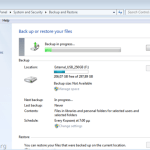
This tutorial contains detailed instructions on how to create a backup of your personal files by using the Windows "Backup & Restore" feature. in Windows 10, 8, 7 & Vista OS.
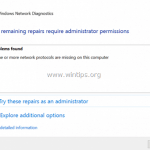
The "One or more network protocols are missing on this computer" problem may have appeared while trying to troubleshoot Internet connectivity problems on a Windows 10, 8 or 7 based computer.
Sometimes there is the need to restore your Android Device to factory default settings in order to fix problems with your device, like slow performance when opening apps or to remove unwanted software changes caused by viruses or malware programs.
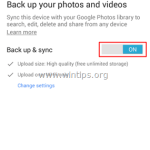
In this tutorial you can find detailed instructions on how you can backup the stored data (pictures, music, videos, contacts, calendar, settings, etc.) from your Android smartphone or tablet, in order to keep your stuff safe, even if you lose your device or even if you want to reset your device to factory settings.