How to disable Facebook Chat on Android phone
When you login to your Facebook account from your Android device, using Facebook App, you automatically appear online in Facebook Chat. However, if you want to avoid that, then you can disable this feature from your Android Phone.
How to turn off Facebook chat on Android devices.
Step 1. Disable Chat Availability from Android phone.
In order to disable Facebook Chat Availability, login to your Facebook Account from your Android device.
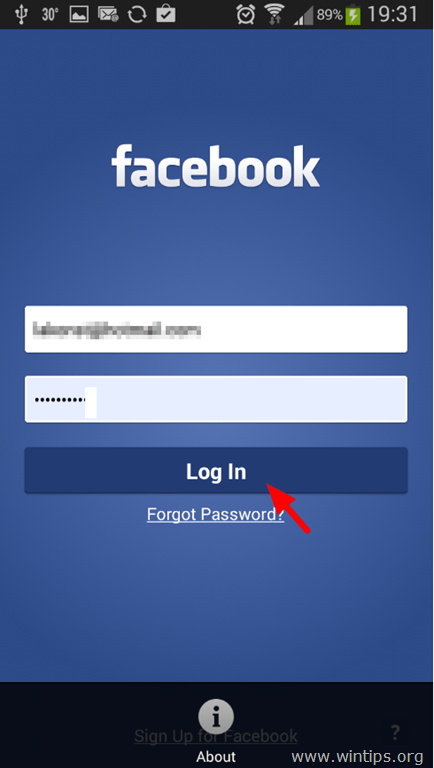
After Login, use one of the following options to disable Facebook Chat:
Option 1: Disable Facebook Chat from Facebook settings menu.
1. Tap the Facebook settings icon  .
.
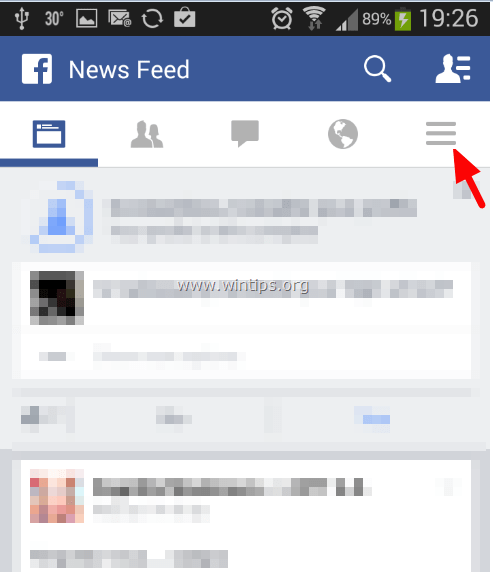
2. Scroll down and tap “App Settings”.
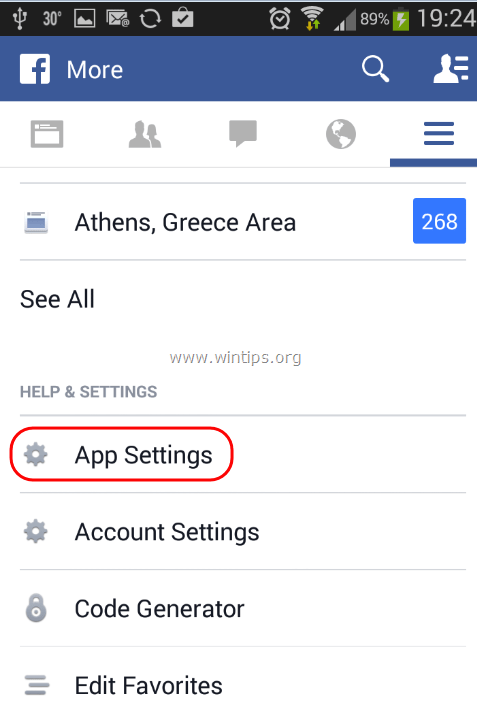
3. In GENERAL SETTINGS, tap to clear (uncheck) the Facebook chat On checkbox.

Option 2: Disable Facebook Chat from Facebook app user’s menu.
1. Tap  icon on the top right corner.
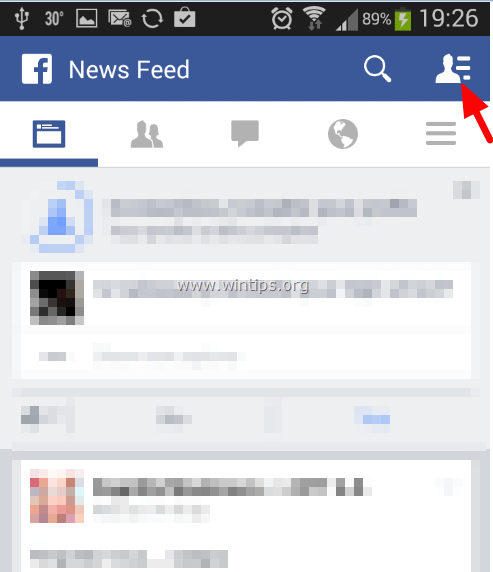
2. Tap the gear icon.
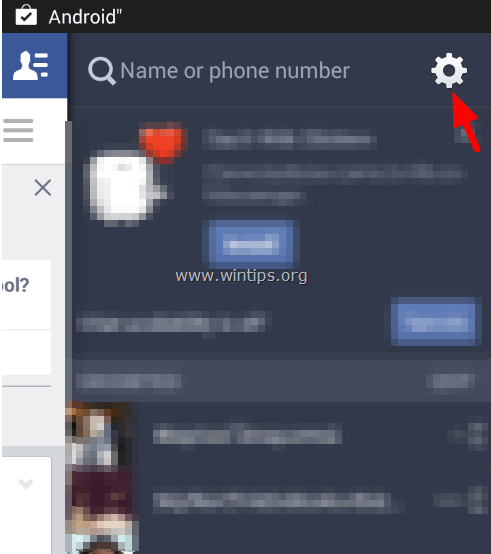
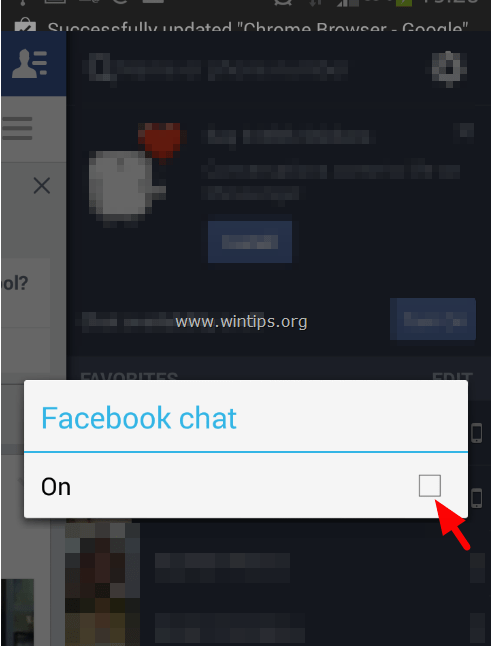
3. Tap to uncheck “Facebook chat” “On” checkbox.
Option 3: Disable Facebook Chat from the device’s Settings menu button.
1. Tap the Settings menu button on your Android device.

2. Tap Settings.
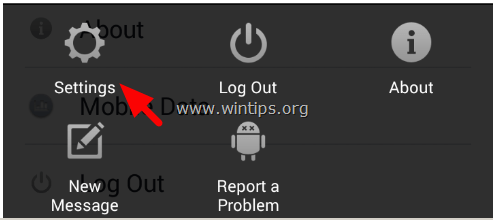
3. Tap to clear (uncheck) the Facebook chat On checkbox.
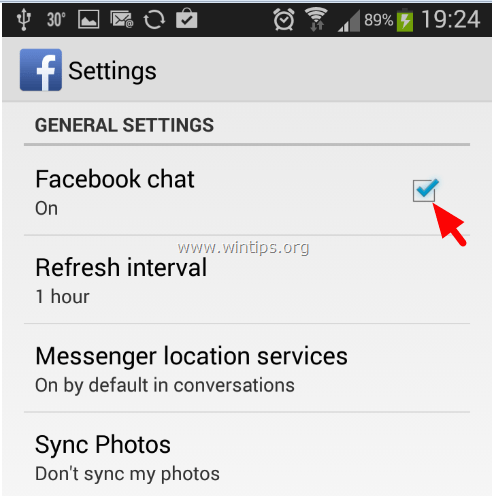
You ‘re done.
Still having trouble fixing this issue?
💬 Get WinTips Remote Support →

- How to Fix SecurityHealthSystray.exe – Bad Image Error (0xc000012f) on Windows 11. - October 26, 2026
- FIX: Windows Hello for Business PIN error 'Your credentials could not be verified' with 'status: 0xc000005e substatus: 0x0' or 'status: 0xc0000bb, substatus: 0x0'. - October 20, 2026
- FIX: This Device Is Already Set Up in Another Organization in Company Portal or During Intune Enrollment - October 13, 2026