How to clean and repair netbt.sys
"Netbt.sys" is a legitimate Windows XP file from Microsoft Corporation and you cannot delete or remove it. Without the recommended security updates installed on your system, your computer is compromised to viruses, trojans and hackers. When file "Netbt.sys" is infected by a trojan, you face problems with your internet or network connections. Most antivirus programs cannot clean "Netbt.sys" file’s Trojan Horse. Following the below steps you are able to clean your computer.
1. Download TDSSKiller Anti-rootkit utility from Kaspersky's website on your desktop.
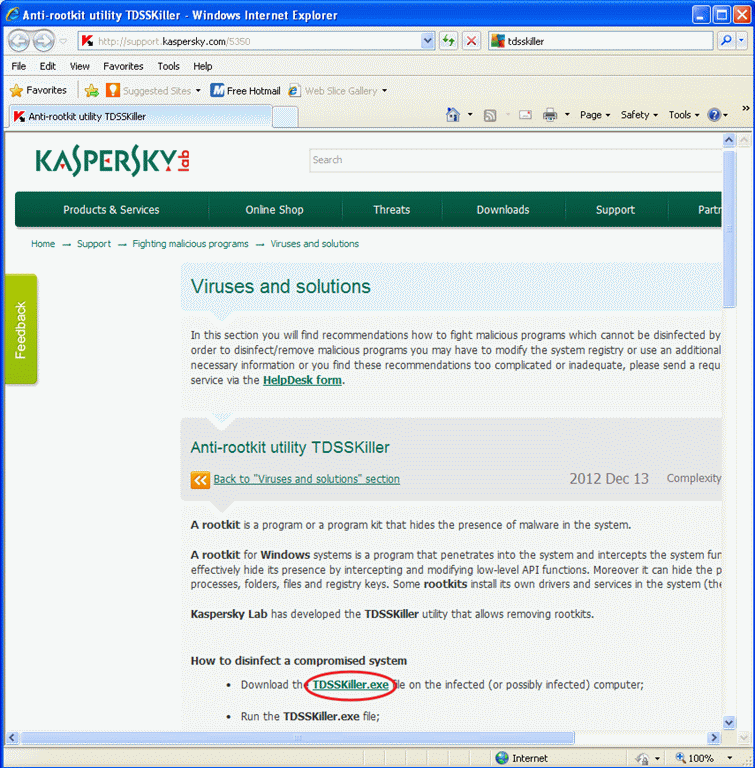


2. When the download process is complete, choose "Run"

3. At Kaspersky’s Anti-rootkit utility program press "Start scan"

When the scan process is complete, a new window opens with the scanning results.
4. Choose "Cure" and let the program finish the cure operation of the affected file "netbt.sys".
5. When the "curing" operation is complete, reboot your computer
6. After rebooting, run TDSSKiller again to scan one more time for Rootkits. If the previous curing job was completed successfully, the program now will inform you that "No Threats found"
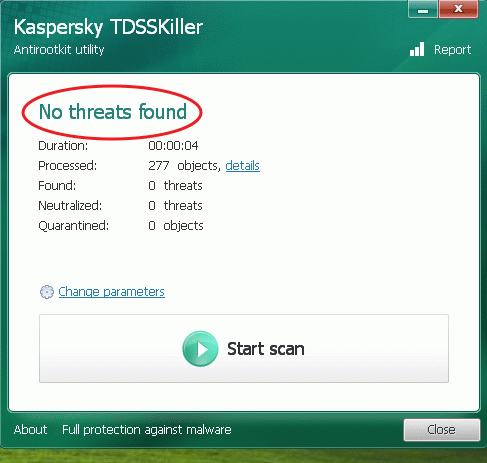
7. Continue cleaning your computer by using your antivirus program.


- Windows Update Uninstall Failed with Error 0x800F0825: How to Fix - October 7, 2026
- Apps and Games Crash After KB5124010 Due to AC-3 Audio: How to Fix - October 5, 2026
- How to Fix Windows 11 Update Error 0x80073712 - October 5, 2026