
FIX: CBS.LOG causes High Disk Usage in Windows 10 (Solved)
This tutorial contains step by step instructions to fix the following issue in Windows 10: The PC is very slow because of high disk usage caused by the activity on the CBS LOG file.
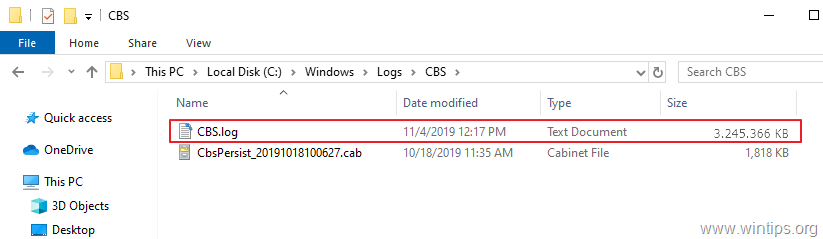
The Component-Based Servicing file (C:\Windows\Logs\CBS\CBS.log), is a log file maintained by Windows to store information about the components installed or uninstalled during updates, and also to store the details and the results when running the System File Checker (SFC /scannow) command to repair the corrupted Windows files.
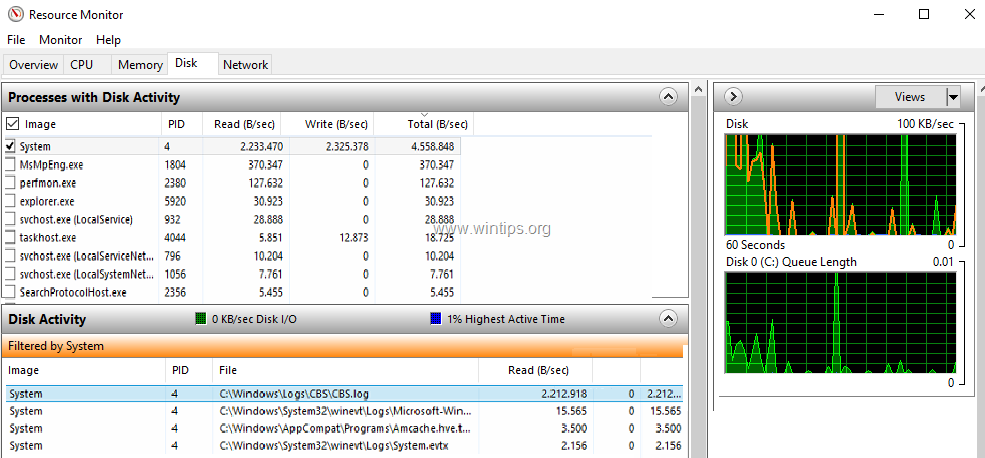
When the CBS.LOG file overcomes a certain size, a cleanup process renames the file to "CbsPersist_Date_Time.log" and then attempts to compress it into a .cab file(s). But if CBS. LOG exceeds the size of 2GB, the cleaning process fails to compress it, causing very high disk activity. At the same time you may run out disk space, because every time the cleanup process fails, creates a new .cab file of 100MB, inside the 'C:\Windows\Temp' folder.
The above issue, is a known bug in Windows 7/8/10 & in Windows Server 2008/2012, and the only way to resolve the problem is to delete the CBS.LOG file and all the .CAB files inside the 'C:\Windows\Temp' folder manually.
How to FIX: CBS.LOG Causes High Disk Activity and Fills the Hard Drive.
Step 1. Stop the Windows Module Installer Service.
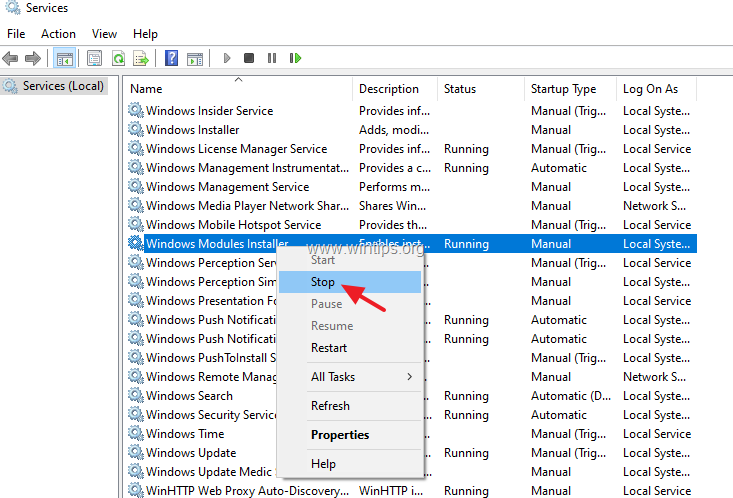
The CBS.LOG file is managed by the 'Windows Modules Installer' (TrustedInstaller) service, so first proceed and stop the service. To do that:
1. Simultaneously press the Windows  + R keys to open run command box.
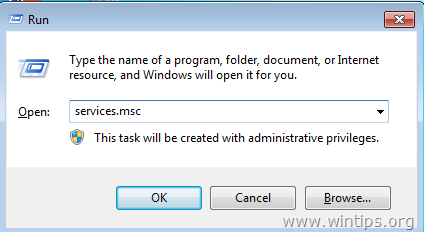
2. In run command box, type: services.msc and press Enter.
3. Right-click on Windows Modules Installer service and click Stop.
Step 2. Delete the CBS.LOG & the .CAB files.
1. Open Windows Explorer and navigate to 'C:\Windows\Logs\CBS' folder.
2. Delete the CBS.log file.
3. Now navigate to 'C:\Windows\Temp' folder.
4. Delete all the .cab files.
5. When done, restart your PC.
6. Proceed and install all the available updates.
That's it! Let me know if this guide has helped you by leaving your comment about your experience. Please like and share this guide to help others.


- How to Disable Passkey Prompts and Delay Enforcement in Microsoft 365 - September 24, 2026
- Remote Desktop (RDP/RDS) Stops Working After September 2026 Windows Update: How to Fix - September 15, 2026
- Windows 11 KB5124008 Causes No Sound or USB Audio Code 10: How to Fix - September 14, 2026


February 27, 2026 @ 5:21 pm
Thanks for the tip on the CBS log files