FIX: Cannot create new user in Windows 10, 8.1, 8 (Solved)
Problem description: In a Windows 10 OS, when you go to Start > Settings > Accounts > Add someone else to this PC, nothing happens so you cannot add a new user account on the computer.

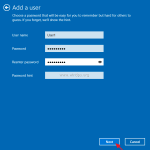
Problem description: In a Windows 10 OS, when you go to Start > Settings > Accounts > Add someone else to this PC, nothing happens so you cannot add a new user account on the computer.
There are several ways to connect to an FTP Server and access its contents, but the easiest way is to use your Internet Browser. The FTP connection via the Internet browser method is mostly used in cases that you want only to download or view the files that are stored on a public FTP server […]
A few days ago I went to one of my customers to add a new printer (HP Laserjet 1102w) on his network. After successfully installing the printer to the first computer locally (by using a USB cable), I tried to share the printer

The DNS_PROBE_FINISHED_BAD_CONFIG & the DNS_PROBE_FINISHED_NXDOMAIN Chrome errors, are related to invalid DNS configuration. The error(s) mean that, the DNS (Domain Name System) cannot find the Webpage you requested.
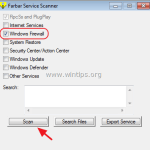
In a previous tutorial I mentioned the steps required to download Windows 7, Windows 8 or Windows 10 legally from Microsoft by using the Media Creation Tool that offered from Microsoft.
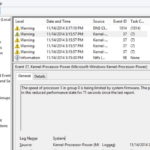
The "Speed of processor 0 in group is being limited by system firmware" warning message in event log, is commonly caused from Intel(R) SpeedStep Technology.
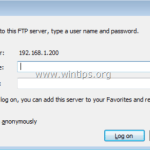
Windows offer an easy way to connect to an FTP Server and its FTP Shared folders, by using the Add Network Location wizard. After running the wizard, you 'll be able to easily manage (copy, move, delete, create, rename, etc.) all the contents hosted on the FTP server from Windows Explorer.
Microsoft Edge is the new and lightweight default Web browser in Windows 10 Operating Systems and it is designed to replace the Internet Explorer in the future. Microsoft Edge is a core component in Windows 10/11 OS and for that reason you cannot uninstall the new browser, by using the classic removal method,