How to Take Screenshot on Windows 10.
If you want to find how you take a screenshot on your Windows 10 PC , continue reading below. Just as all Operating Systems do, Microsoft Windows 10 also allows its users to take screenshots while working.

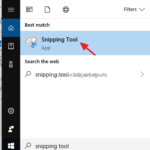
If you want to find how you take a screenshot on your Windows 10 PC , continue reading below. Just as all Operating Systems do, Microsoft Windows 10 also allows its users to take screenshots while working.
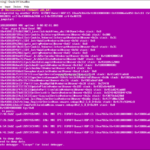
This tutorial contains instructions to fix the following purple screen of death error, when installing the VMWare ESXi on a VirtualBox host "VMWare ESXi NMI IPI: Panic requested by another PCPU".
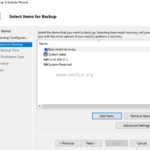
In this article, I 'll show how to backup Active Directory Server 2016 or Server 2012 with the Windows Server Backup application. After reading this article you'll know how to perform and schedule full server backups on a Windows Server 2016 or Server 2012, in order to restore your server if anything goes wrong. As […]
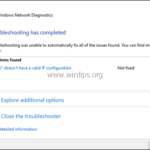
If you cannot connect to your Wi-Fi network and after running the network troubleshooter you get the error message "WiFi doesn’t have a valid IP configuration", then continue reading below to fix the problem.
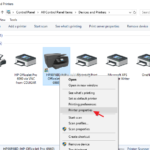
If you 're own Windows 10 OS and you want to share your printer with other users on your network then this tutorial is for you. In Windows 10, you can share a printer connected to your PC with other PCs on the network, in the following two ways.
Gmail is undoubtedly one of the most popular email client services in the world and is offered by Google. What makes it even more popular is you can use it simultaneously across all your devices.
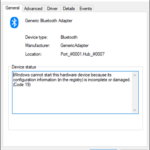
The following error may appear on the Bluetooth Adapter, on a Windows 10, 8 or 7 based computer: "Windows cannot start this hardware device because its configuration information (in the registry) is incomplete or damaged. (Code 19)"

Download HP ENVY 4500 driver and software to print and scan from Windows or MAC OS. Below you'll find the direct download links for the HP ENVY 4500 All in one printer software and drivers
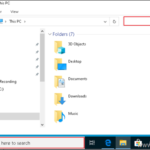
Many Windows 10 users, especially after a Windows update, cannot type in the File Explorer's search bar or in Cortana's search bar on the taskbar, because they cannot click on the search box to start typing.
This tutorial contains detailed instructions on how you can still upgrade/update your Windows 7 PC to Windows 10 for FREE even in 2020, and without losing your files. (last checked in January 28, 2020).