How to Schedule Google Backup and Sync.
As you may already know, "Backup and Sync" is a desktop app provided by Google, that helps you to easily backup your local files to the Google Drive from a Windows PC or MAC computer.


As you may already know, "Backup and Sync" is a desktop app provided by Google, that helps you to easily backup your local files to the Google Drive from a Windows PC or MAC computer.
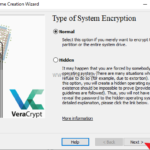
This tutorial contains detailed instructions on how to encrypt the operating system drive C: on Windows by using the VeraCrypt free encryption program. VeraCrypt is a free open source disk encryption software
This tutorial contains instructions to fix the following issue: Windows 10 won't load correctly and shows only a black screen with cursor after installing updates.
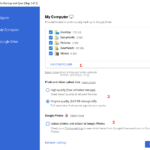
Recently Google has released the Google Backup and Sync application, which replaces the Google Desktop and Google Photo apps for Windows PC and MACs. With Google Backup and sync application you can easily backup and synchronize your local files with the Google Drive.
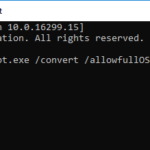
On the latest motherboard (PC/Laptops) models, the manufacturers have added the support for the UEFI (Unified Extensible Firmware Interface), in addition to the traditional BIOS (Basic Input Output System) firmware interface.
An MBOX file is an archive of email messages based in UNIX systems, similar to the PST archive, that is used from Microsoft Outlook to store emails, calendars, tasks, etc. In fact, an MBOX file contains email messages that are stored
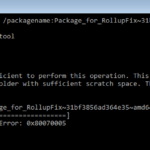
The tutorial contains instructions to fix the following DISM error: "The scratch directory size might be insufficient to perform this operation. This can cause unexpected behavior. Use the /ScratchDir option to point to a folder with sufficient scratch space".
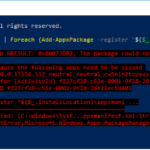
On a Windows 10 based the 'Windows Shell Experience Host' app, cannot be re-installed (re-registered) by using the "Add-AppxPackage" PowerShell command, with error: "Microsoft.Windows.ShellExperienceHost Deployment failed with HRESULT 0x80073D02.
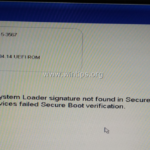
One of my customers, brought his Dell Inspiron 15-3567 laptop, to our service store with the following boot problem: "The Operating System Loader signature not found in SecureBoot database ('db'). All bootable devices failed Secure Boot verification."
If you have connected an external hard drive formatted to GPT partition table, on your TV, you have probably realized that the TV cannot recognize the USB drive, or it recognizes the drive but it cannot read the contents on it (Videos, Photos or Music).