SearchNewTab Browser Hijacker Removal Guide
"SearchNewTab” is a browser adware and hijacker program that modifies your browser’s homepage and search settings in order to redirect your browsing results into advertisements from unknown vendors.


"SearchNewTab” is a browser adware and hijacker program that modifies your browser’s homepage and search settings in order to redirect your browsing results into advertisements from unknown vendors.

Google Chrome performs automatic updates every few weeks in order to make Chrome browser more secure and stable. But sometimes these new versions are not very stable or they present compatibility problems in their use. For these reasons, it's better to disable the automatic update procedure to avoid such problems.
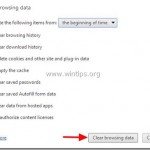
When you use your Internet browser to search whatever interests you, your web browser keeps a record of websites that you have visited to make it easier for you to find them in the future. That feature is called “Browsing History” and regardless of the fact that it is a very useful feature, on the […]

GS.Enabler (GS.Enabler.exe), SK.Enabler (SK.Enabler.exe), SK.Enhancer (SK.Enhancer.exe) & WS.Enabler (WS.Enabler.exe) by “PremiumSoft” company, are potentially unwanted programs (PUPs) that hide their existence from detection (and removal) and once they infect a computer,
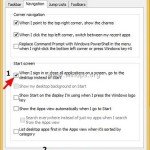
In Windows 8 OS, there isn’t option to boot to Desktop mode without using a third party software like Classic Shell or Start8. But in Windows 8.1, Microsoft gives the option to boot in Desktop mode without using any other software. So if you are a Windows 8.1 owner (Windows 8 users can update to […]

“TheBlocker 1.3” & “YouTubeAdBlocker 1.0” are malicious adware extensions, that display adware pop-ups, links & texts on your browser. “TheBlocker” & “YouTubeAdBlocker” can be installed on common Internet browsers, such as Internet Explorer, Mozilla Firefox, and Google Chrome in order to display advertisements from unknown publishers for profit.

Intelewin Filter (TR/Agent.tgs, TR/Agent.ddf) is a dangerous malicious Trojan horse that hides its existence from detection (and removal) and once it infects a computer, it can steal personal information, it violates your privacy and it performs dangerous modifications inside the infected system.

In this article I explain the way to backup your Outlook account settings and then restore (transfer) them to another computer. Unfortunately there is not a user friendly way to backup your Outlook Account settings because in all Outlook versions the account settings are kept inside the Windows registry under this key:

"LiveSupport” application is a “Potentially Unwanted Program (PUP)” offered by the “PC Utilities Software Limited” company in order to make money. More specifically, the company gives to its customers a telephone number (+1-855-544-6024) in order to call an IT specialist to resolve the problems on their computers (DO NOT call this number if you don’t […]

In some cases, like during synchronization when receiving e-mails or after the transfer of our emails from an old to a new computer, duplicate email messages may be found in Outlook. Removal of the duplicate items in Outlook can be done manually, but this is a time-consuming process, or it can be done by using […]