How to Enable Telnet Client in Windows 10.
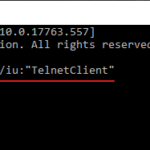
As you may have already discovered, in Windows 10, the Telnet command, "is not recognized as an internal or external command, operable program or batch file". This is happening, because the Telnet client,
This guide contains detailed instructions on how to setup Synology NAS DiskStation with WebDav, in order to be able to Map (mount) the NAS Shared drive as a Network drive outside of the local network. (Windows 10, 7, 8 or 7 OS).
The following error may appear in a Windows 10, 8 or 7 based computer, when you try to print a document or when clicking "Find Printer" in Word or other programs: "The Active Directory Domain Services is currently unavailable".
As you already know, Microsoft Security Essentials (aka "Windows Defender" in latest OS versions) is a free full-featured anti-malware solution that is capable of detecting and stopping potentially malicious software and viruses, and its included in Windows 8, 8.1, Windows 10 and Windows Server 2016 edition.
The following error appeared on a Windows 7 based computer, when I tried to connect to a Server 2012 via the Remote Desktop Connection app: "An authentication error has occurred. The Function Requested is not Supported.". At the same time, the Remote Desktop connection is successful from Windows 10 based PCs.
The following error message appeared suddenly on a Windows 10 based computer, when trying to run the "mmc.exe" (Microsoft Management Console) app: "User Account Control. This app has been blocked for your protection. An Administrator has been blocked you from running this app. For more information, contact the administrator. mmc.exe.
In this article you will find detailed instructions on how to enable and use Remote Desktop in Windows 10. Remote Desktop is a Windows application that allows users to connect from a computer running Windows to any other remote computer running Windows.
If you want to find how you take a screenshot on your Windows 10 PC , continue reading below. Just as all Operating Systems do, Microsoft Windows 10 also allows its users to take screenshots while working.
If you cannot connect to your Wi-Fi network and after running the network troubleshooter you get the error message "WiFi doesn’t have a valid IP configuration", then continue reading below to fix the problem.
If you 're own Windows 10 OS and you want to share your printer with other users on your network then this tutorial is for you. In Windows 10, you can share a printer connected to your PC with other PCs on the network, in the following two ways.