Disable Let's Finish Setting up Your Device prompt on Windows 10/11 (How-to).
This article contains step-by-step instructions on how to disable the notification "Let's finish setting up your device" on Windows 11/10.
In this article, we will show you how to reset the File Associations in Windows 10/11. File associations in Windows show which application/program will open each file according to its extension.
If when you delete, rename, move or copy files in Windows Explorer, Explorer does not refresh with the changes you made, continue reading below to fix the problem. One of the most annoying problems that can occur in all versions of Windows is when Explorer does not automatically refresh changes
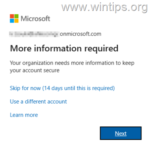
In this tutorial you'll find instructions to disable the Windows Hello for Business prompt (aka: Windows Hello for Business provisioning), "Use Windows Hello with your account" after adding a PIN and to remove the message "Your organization requires Windows Hello” during OOBE.
If you can't add a Windows Hello PIN in Windows 10/11 because the PIN option is grayed out or unavailable with the description "Something went wrong. Try again later", continue reading below to fix the problem.
In this article, we will discuss what is causing the Chrome GPU process high memory usage and how to fix it. Most users worldwide use Chrome as their primary web browser, because is stable and light.
This tutorial contains instructions on how to fix the error "New CPU installed. fTPM NV corrupted or fTPM NV structure changed" on a Windows 10/11 desktop or laptop PC.
If you want to enable Hyper-V on Windows 10/11 Home edition, continue reading below. Hyper-V is Microsoft's hypervisor platform and, like the VΜware or VirtualBox hypervisors, allows you to run multiple operating systems on a singe Windows PC.
If your mouse cursor disappears on Windows 10/11, continue reading below to fix the problem. As you know, the ease of navigation offered by the mouse on a computer is enormous, which is why the disappearance of the mouse cursor from the screen is a huge inconvenience for users.
Do you want to delete a user profile on your Windows 11 system? If so, this guide will help you with that. If multiple users use the same Windows system, each user has a separate user profile that contains all its files and settings. These data are stored in a separate folder under "C:\Users" and […]