FIX: MSVCR120.dll was not found or MSVCP140.DLL was not found (Solved)
This tutorial contains instructions to fix the "MSVCR120.dll was not found" and the "MSVCP140.DLL was not found" error(s), when you try to run a program in Windows 10, 8 or 7 OS.

This tutorial contains instructions to fix the "MSVCR120.dll was not found" and the "MSVCP140.DLL was not found" error(s), when you try to run a program in Windows 10, 8 or 7 OS.
In Windows operating systems, the 'Startup' folder is the location that contains all programs that start with Windows. So, the startup folder can be used to specify which programs are allowed to start as soon as Windows starts.
This troubleshooting guide contains detailed instructions on how to fix the following OneDrive problems: "OneDrive Not Syncing", "OneDrive crashes when syncing" and "OneDrive Not Starting Up", in a Windows 10/8.1 or 7 based computer.
The following problem occurred after installing updates to a Windows 10 based PC with Office 2019: All MS Office applications doesn't open and display the error: "The application was unable to start correctly (0xc0000142). Click OK to close the application".

If you experience problems during the installation of app packages, by using the "Add-AppxPackage" cmdlet in PowerShell, read below on how you can view the deployment operation failed error log, in order to troubleshoot the installation issues.
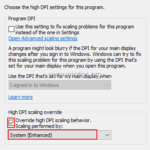
If you’re using a high-DPI 4Κ monitor or device (e.g. laptop) with Windows 10, you have probably already noticed that in some applications, the fonts are very small in the menus and the text, and you need a magnifier to read them.
This tutorial contains instructions to fix the "MFC120U.dll was not found" or "MSVCP120.dll was not found" error(s) when you try to run an application in Windows 10, 8 or 7 OS.
On a Windows 10 based machine, the XBOX Gaming app couldn't be installed (re-registered) by using the "Add-AppxPackage" PowerShell command, with error: "Microsoft.XboxGamingOverlay Deployment Deployment failed with HRESULT 0x80073D02.
If your desktop or laptop PC has no sound output, keep reading below to fix the problem. This tutorial contains instructions to troubleshoot sound issues a Windows 10, 8 or 7 based computer, with one of the following symptoms/errors:
Some times there is the need to lock a folder or file with a password in order to protect it from an unauthorized access. This article contains the most secure FREE methods to password protect a folder or file